Data Viewers
Organize data from various sources for queries and reporting
Why is is so difficult to visualize your parishioner data?
CPI has developed tools that allow you to bring all your data together onto one screen.
Our Donor Viewer screen combines Constituent Demographics characteristics, campaign results, events participation, donor asks and ask segments and available underlying donor database items into a single spreadsheet-like format.
The screen shot below demonstrates a sample View.
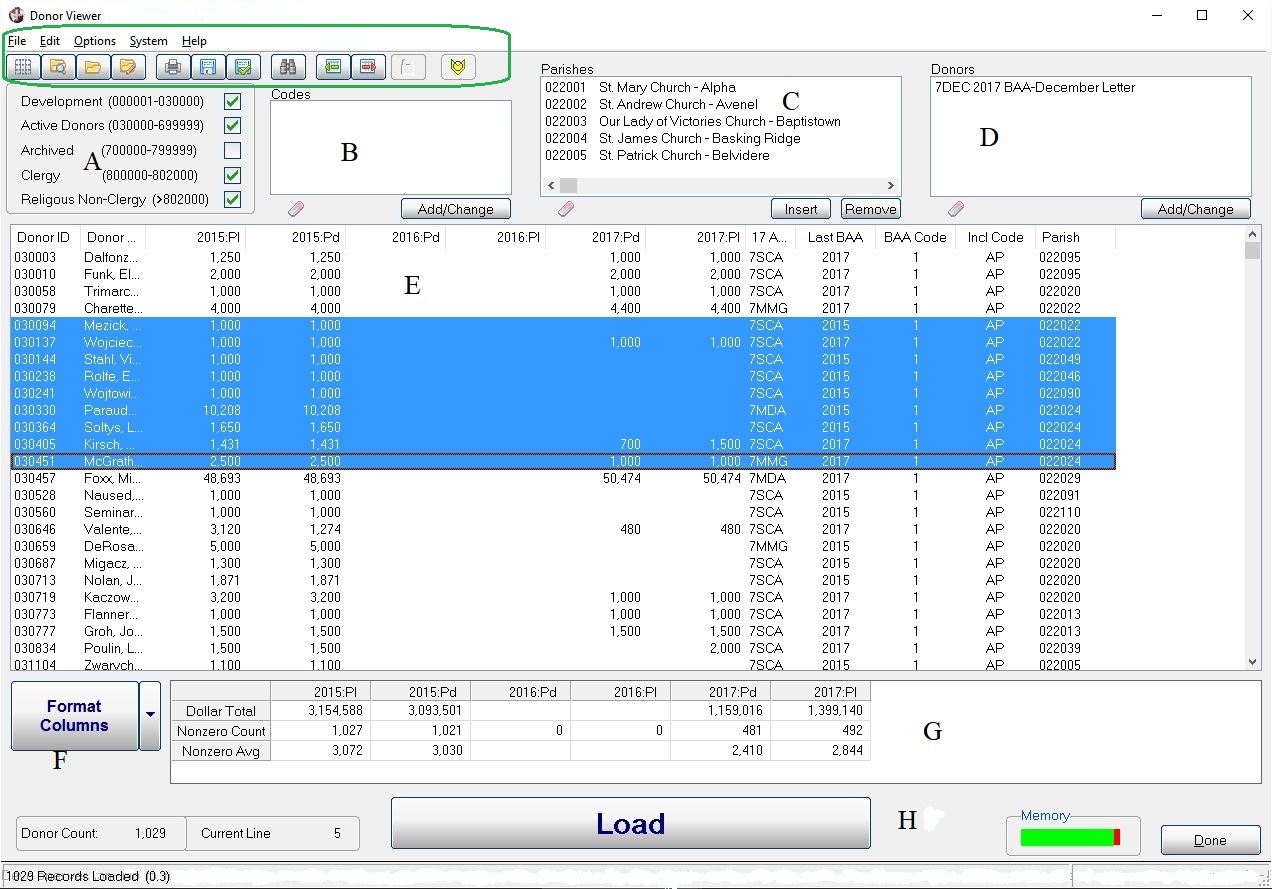
| Dashboard Functions (Top menu selections and Icons) The drop-down menus and icons allow the user to call up existing views, select criteria and output the results to rosters or spreadsheets. |
A) Segment parishioners into pre-set groups. Note the Archived segment. |
B)
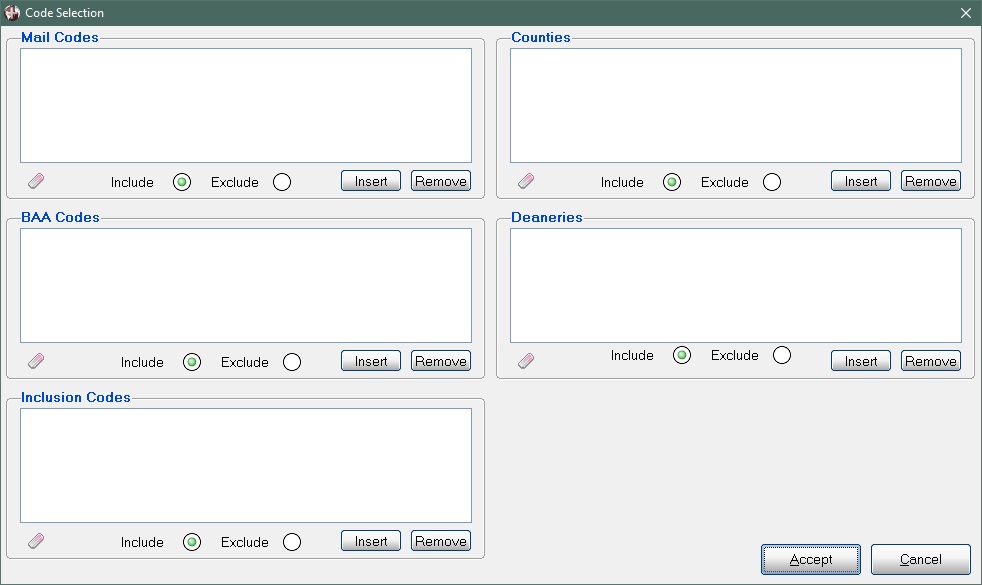
Selection Codes. Assign characteristics to donors in Simple CRM
for further sub-selections. Codes include Mailing Codes, Appeal
Participation, Geographies and Inclusion Codes (Active/Inactive
Parishioner, School Parents, etc.) Please see screenshot below. |
| C) Selection by Parishes. Allows the user to focus on a single parish, a group of parishes, or all parishes, |
D) Donor Groups selection. The user can select donors manually, or pull in one or more Rosters from Simple CRM |
E) Results display area. All the data fields selected in the 'Format Columns' box are shown for the chosen donors. |
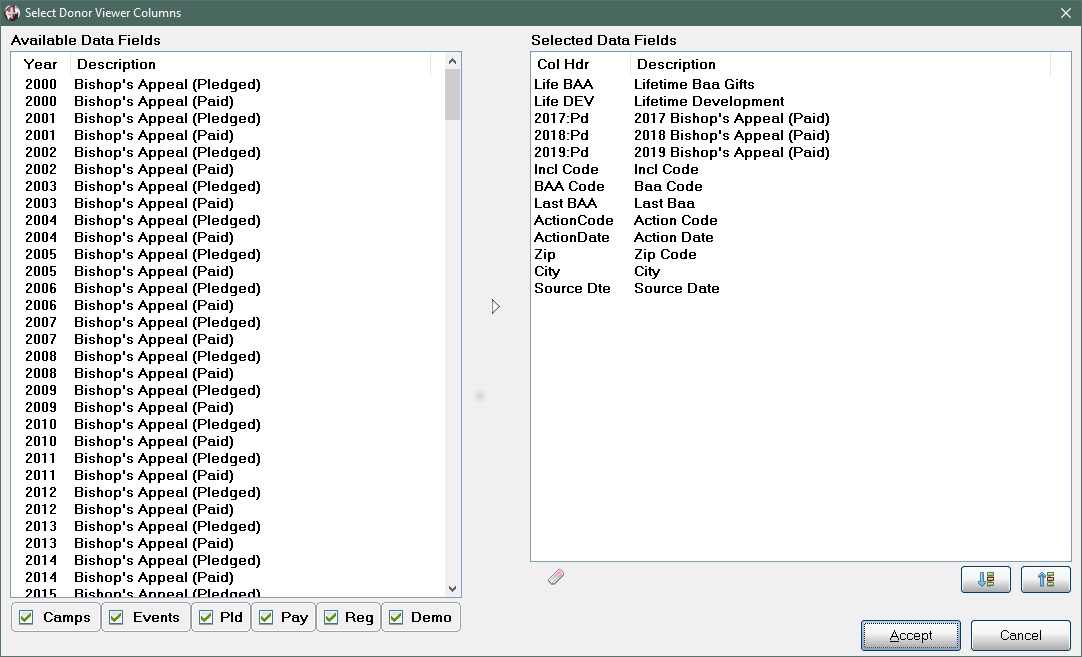
| F)
Format Columns. This button will display all the available data fields.
Coose the fields desired for this query. up to 1,000 characteristics
can be selected. Please see 'Format Columns' below |
G) Results Summary. All numeric data fields are summarized here |
H) Footer. Displays counts and current donor, memory usage and navigation buttons. |
B) Selection Codes:
F) Format Columns: